01 / CAPTURE
Show what happened.
Screenshot, annotations, and a note
Let someone explain what they saw while using your app. The SDK supports screenshot reports, drawing, notes, and consent before submission.
HUMAN FEEDBACK FIRST affisto
SCREEN REPORTER / BY AFFISTOLAB
SCREENSHOTS · EVENTS · MCPBring the screenshot, the user’s explanation, and recorded app context into one report. Explore the evidence in a dashboard—and take it to your AI tools through MCP.
No sign-up. Synthetic sample data. Read-only dashboard.
ANDROID / iOS / FLUTTER
01 / SCREEN REPORTER
A confusing screen, an unexpected result, an idea for improvement.
Screen Reporter keeps the original feedback close to the evidence.
Let someone explain what they saw while using your app. The SDK supports screenshot reports, drawing, notes, and consent before submission.
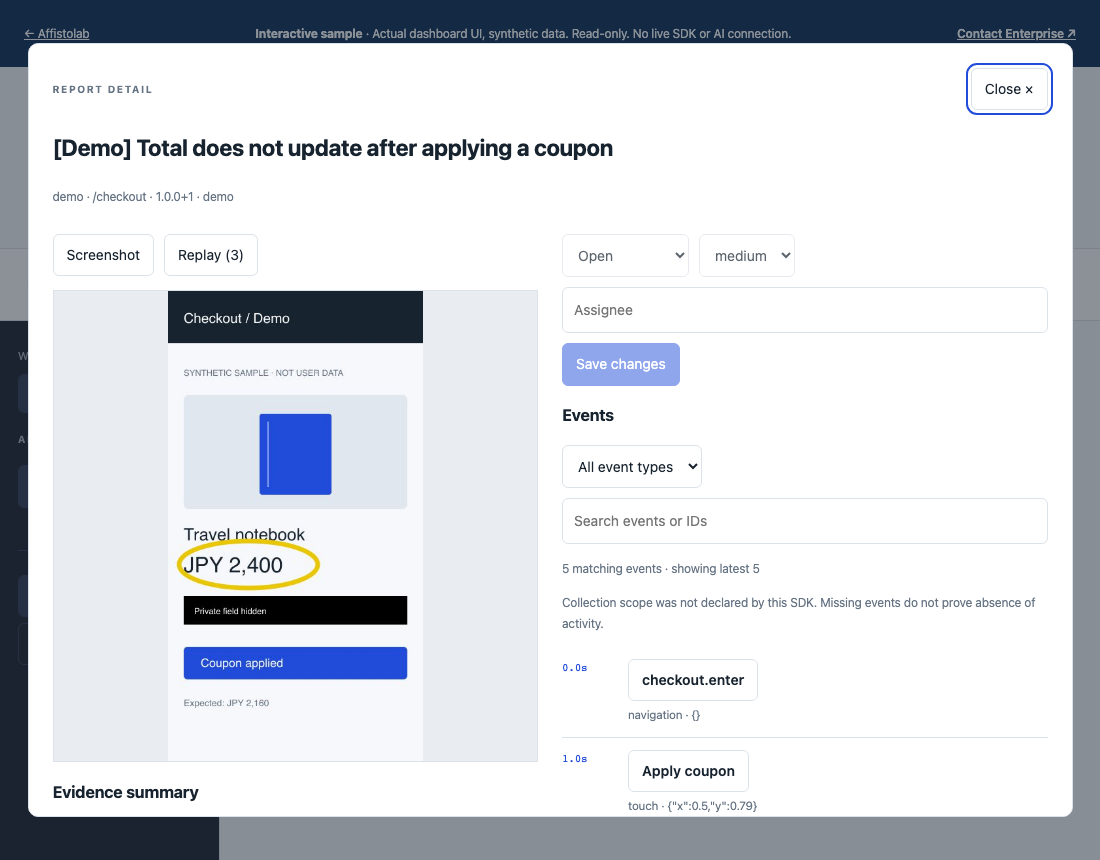
HUMAN FEEDBACK FIRSTReview the report alongside recorded app events and sampled frames. Filter the timeline and inspect the original event payload. Replay is a sequence of snapshots, not full-motion video.
EXPLORE A SAMPLE REPORT ↗Connect your AI client through the local MCP adapter to read reports, screenshots, and timelines. Your team leads the investigation and reviews any proposed changes.
EVIDENCE IN · HUMAN REVIEW OUT02 / SDK INTEGRATION
Native Android, native iOS, and Flutter integrations.
Start with the sample dashboard, then talk with us about trying the SDK in your own app.
SDK repositories are currently private. App integration and device enrollment require setup with your team. Public self-service signup is not available.
Request SDK access ↗Kotlin SDK for Android API 26+. Capture screenshot feedback, notes, selected events, and sampled replay. Automatic screenshot detection requires Android API 34+; a manual report entry point is available on earlier supported versions.
03 / ENTERPRISE
Bring Screen Reporter into your app and investigation process.
Discuss SDK integration, deployment requirements, and how your team uses AI.
04 / TALK TO AFFISTOLAB
Tell us about your app, platform, and team. We’ll discuss an SDK pilot or an Enterprise engagement around your integration and deployment needs.
Share your platform and how you collect feedback today.
Discuss SDK access, device setup, and a focused evaluation.
Agree on scope and requirements before implementation.
05 / AFFISTOLAB CORP.
We’re building Screen Reporter.
Start with the evidence.
Affistolab Corp. is the company behind Screen Reporter. We’re developing mobile SDKs and a report dashboard to connect human feedback, screenshots, and recorded app context.
Our direction is AI-friendly software operations. Screen Reporter makes report evidence available to your own AI tools through MCP. Enterprise work starts with a discussion of your app, integration needs, and deployment requirements.
Explore our productsBUILD THE NEXT. WITH AFFISTO.